

Appearance
Update Your Brand Profile Settings
Your Brand Profile settings include your brand name, logo, business objectives, audience, and content channels.
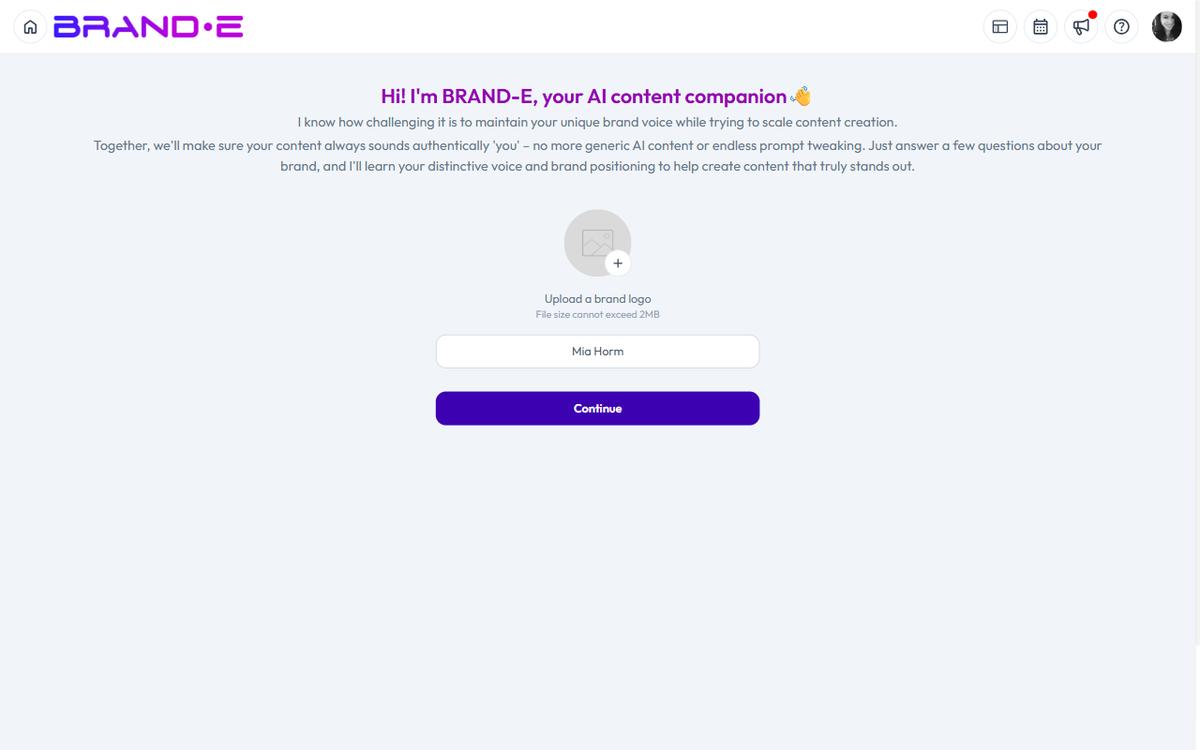
These are the foundational elements of your Brand DNA.
As your company evolves, update these settings so your Brand DNA stays accurate and your content generation stays powerful.
Brand owner access only.
Where to Update Profile Settings
Navigate to Account → Brand Profile (sidebar).
You'll see all core profile information editable on this page.
Only brand owners can make changes.
What You Can Update
1. Brand Name
Your brand name as it appears in all Brande.ai-generated content and recommendations.
When to update:
- You've rebranded entirely
- Company name changed (legal name change, merger)
- You want to represent a sub-brand within your organization
How to update:
Click the brand name field and type the new name.
Brande.ai updates the name everywhere—projects, content, reports.
2. Logo
Your brand logo, used in image generation and visual contexts.
Accepted formats: PNG (transparent background recommended), SVG, JPG
When to update:
- You've redesigned your logo
- Old logo has quality issues
- You want to use a different version (icon vs full lockup)
How to update:
Click the logo area.
Select Upload New Logo or Replace Logo.
Choose a new file.
Brande.ai uses the new logo in all future image generation.
Tip: For best results, use a transparent PNG. Logos with text should remain legible at small sizes.
3. Business Objectives
What you're trying to achieve in the next 6–12 months.
Examples:
- "Establish thought leadership in fractional finance"
- "Drive 20 qualified leads per month to consulting booking page"
- "Build a community of product managers who trust our methodology"
When to update:
- Your business strategy changes
- You've hit a milestone and set new goals
- Market conditions shift your priorities
- You're entering a new market segment
Why it matters:
Content Agent uses business objectives to decide what you should create.
Outdated objectives = misaligned recommendations.
How to update:
Click the objectives section and edit.
You can add, remove, or modify objectives.
Aim for 2–3 clear, specific objectives.
More than 3 creates noise.
4. Audience & Purchase Triggers
Who your customer is and what problem or trigger moves them to buy.
When to update:
- You've expanded to serve a new audience segment
- Customer research reveals new audience composition
- You've repositioned to serve a different type of buyer
Examples of strong audience definitions:
- "VP of Product at Series A/B SaaS companies (50–200 people) frustrated with slow feature deployment"
- "Fractional CMOs managing 2–4 clients who are overwhelmed by content planning"
- "Solo founders selling online courses who know they should be on social media but don't have time"
How to update:
Click the audience section.
Edit the description to be more specific if needed.
Add new audience segments if you now serve multiple types.
Tip: Keep primary audience first. If you have multiple segments, note which is #1.
5. Content Channels
The platforms where you will publish content consistently.
Available: Blog, Podcasts, Paid Ads, Email, Facebook, Instagram, Twitter, LinkedIn, TikTok, YouTube, Pinterest, Snapchat, Discord
When to update:
- You've launched in a new channel
- You've stopped using a channel (remove it)
- Your distribution strategy has evolved
How to update:
Click the channels section.
Check or uncheck channels.
Remember: Only select channels where you can publish consistently.
Tip: Start with 2–3 channels. Add more as you scale capacity.
6. Business Stage/Category
Where your company is in its lifecycle and what industry you're in.
When to update:
- You've raised funding (Pre-launch → Seed → Series A)
- You've hit a significant milestone
- You've expanded into a new category
- Your business model has changed significantly
Examples:
- Pre-launch → Launched
- Bootstrapped → Seed funded
- Single product → Multi-product
- Niche vertical → Horizontal platform
How to update:
Click the business stage section.
Select the updated stage that best describes your company now.
How Profile Updates Affect Content Generation
When you update profile settings, Brande.ai adjusts its behavior:
Update Business Objectives:
- Content Agent recommends different topics aligned with new goals
- Generated content emphasizes different value propositions
Update Audience:
- Content generation adjusts tone and language for new audience
- Examples and references shift to new audience's context
- Messaging emphasizes different pain points
Update Channels:
- Content Agent only recommends for selected channels
- Format and length adjust for new channel requirements
Update Logo:
- New logo appears in all future generated images
- Visual identity becomes immediately updated
Update Business Stage:
- Brande.ai adjusts positioning and proof points to match your stage
- Early stage = more founder story and vision focus
- Mature stage = more customer proof and scale focus
Outdated settings = misaligned content.
Keep settings current.
Example Profile Update Workflow
Initial Setup (Month 1)
Business Objective: "Build brand awareness among solo founders"
Audience: "Solo solopreneurs building online courses"
Channels: LinkedIn, Blog
Month 6: Market Expansion
Research reveals two distinct audiences:
- Solo course creators (original)
- CMOs of mid-size companies (new)
Action: Update audience to reflect both segments. Add company stage. Keep channels same.
Updated Audience: "We serve two audiences equally: (1) Solo course creators overwhelmed by marketing, and (2) CMOs at 50–200 person companies managing distributed teams"
Month 12: Product Expansion & Funding
Raised Series A funding.
Launched enterprise features.
Repositioning from "tool for solopreneurs" to "platform for agencies and teams."
Actions:
- Update business objectives to reflect new growth targets
- Update audience to emphasize agencies and in-house teams
- Add TikTok and YouTube to channels (new audience engagement strategy)
- Update logo to reflect refreshed brand
- Update business stage to "Series A"
New objectives:
- "Establish Brande.ai as the category leader in brand-aware content operating systems"
- "Drive 50+ enterprise customers by end of year"
Best Practices for Profile Updates
Update before output degrades
Don't wait for generated content to feel wrong.
When you know something has changed, update immediately.
Proactive updates > reactive fixes.
Keep objectives specific
Vague objectives create vague Content Agent recommendations.
"Grow" is not an objective.
"Drive 20 qualified leads to booking page" is an objective.
Segment audiences clearly
If you serve multiple audiences, note the priority.
Content Agent will generate recommendations that address all, but knowing which is #1 helps.
Only select channels you'll execute
Selecting every channel and then ignoring most creates overwhelm and Content Agent waste.
Better to excel in 2–3 channels than underdeliver in 8.
Keep brand stage current
Business stage affects how your narrative should sound.
Pre-launch sounds different from Series C.
Keep it accurate.
Notify collaborators of major changes
If you have team members or collaborators using Brande.ai, let them know when profile changes.
Especially: objective changes, audience shifts, channel additions.
Context prevents confusion.
Document why you updated
When you make significant changes, add a note to yourself about why.
"Updated channel selection: Launching TikTok strategy for Gen Z audience segment"
Six months from now, you'll want to know.
Troubleshooting Profile Updates
Logo won't upload:
- Check file size (max 100 MB)
- Check format (PNG with transparency is best)
- Try removing old logo first, then uploading new one
Changes don't take effect:
- Refresh the page
- Log out and log back in
- Wait a few minutes for changes to propagate
Unsure if you should update something:
- Ask: "Has this fundamentally changed about our brand?"
- If yes, update
- If no, leave it