

Appearance
Read and Interpret Content Briefs
Each Content Agent brief is a strategic instruction. It tells you what to create, why it matters, and where it fits in your content strategy.
Anatomy of a Content Brief
Every brief contains four pieces of information:
1. Title
A clear, specific description of what to create. Examples:
- "Explain how your solution solves a common customer pain point"
- "Share a case study of a successful client implementation"
- "Post a behind-the-scenes look at your product development process"
The title is not the final headline for your content. It is a directive that describes the strategic purpose of what you are about to create.
2. Summary
A paragraph explaining why this content matters and what your audience needs to hear. The summary includes:
- The audience problem or need being addressed
- Why your brand is the right voice to address it
- How this content fits into your broader strategy
Example summary:
"Your audience is comparing solutions and wants proof that your approach works. A case study showing a customer's measurable results will build confidence and reduce sales cycle friction."
This summary answers the "why" before you start writing.
3. Template
A pre-selected template based on the distribution channel. Common templates include:
- LinkedIn Post — For LinkedIn channel recommendations
- Long-Form Content — For Blog channel recommendations
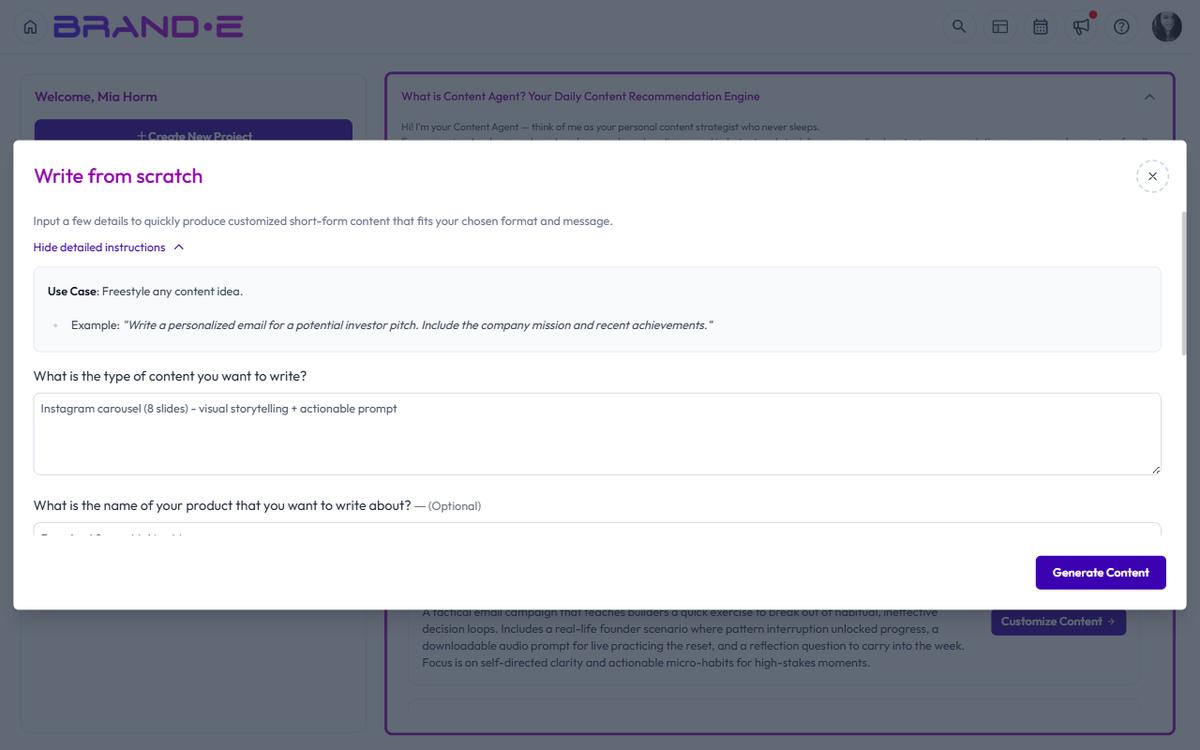
- Write from Scratch — For channels without a specific template
- Email — For Email channel recommendations
- Social Media Thread — For Twitter, TikTok, or other social channels
The template is not random. Content Agent selects it based on which channel the recommendation is for.
4. Template Variables
Pre-filled fields that provide brand context for the content. These variables come from your Brand DNA and may include:
- Your brand positioning statement
- Key customer pain points
- Your unique value proposition
- Audience demographic information
- Competitor insights
When you click "Customize Content", a dialog opens where you can review and edit these variables before generating.
How to Use This Information
Step 1: Read the Title and Summary
Decide if this brief aligns with your current priorities. If it does, proceed. If it does not, you can:
- Skip it and move to the next recommendation
- Mark it as Done and revisit it later
- Customize it to fit a different angle
Step 2: Review the Template
The template is already selected for you. Familiarize yourself with what kind of output format you will receive (a short social post, a long-form article, an email, etc.).
Step 3: Customize Before Generating
Click "Customize Content" to open the customization dialog. Here you can:
- Review all template variables
- Edit any variable that needs adjustment
- Add context-specific details (a recent customer win, a timely trend, etc.)
- Refine the angle to match your current marketing focus
The customization step is where the brief becomes your content strategy—specific to your situation right now.
Step 4: Generate
After customizing, click "Generate" to create the content. Brande.ai will use the template, your brand voice, and the customized variables to produce finished content ready for review and refinement.
Understanding Template Variables
Template variables are the intelligence layer of Content Agent. They are not placeholders for you to fill in manually. They are pre-filled with brand context that Brande.ai has learned from your Brand DNA.
Common variables include:
brand_positioning— How you position your brand relative to competitorsaudience_pain_points— The top challenges your audience faceskey_differentiator— What makes your approach uniquetarget_outcome— The transformation your customer experiencescall_to_action— Where you want the audience to go next
When you customize, you are not re-entering this information. You are confirming it is correct and adding any context specific to this particular piece of content.
Why Briefs Matter
The brief is the strategic layer that separates Brande.ai from a generic writing tool. Instead of starting with a blank page and a vague prompt, you start with:
- A clear strategic purpose (the summary)
- The right format for the channel (the template)
- Brand context already loaded (the variables)
Your job is to decide if the strategy makes sense right now, customize it if needed, and generate the content.