

Appearance
Get Daily Content Recommendations
Content Agent generates one set of daily recommendations per brand. Find them on your dashboard or in the Content Opportunities page.
View Recommendations on Your Dashboard
When you log in, the dashboard displays today's recommendations in a widget labeled "Content Agent: Your Strategic Content Recommendations for Today".
What You See
The widget shows:
- A summary — A brief overview of today's content strategy
- A list of recommendations — Each one shows:
- The title of what to create
- A summary explaining why it matters
- A channel icon and channel name (Blog, LinkedIn, Email, etc.)
- Either a "Go to Project" button (if a project already exists) or a "Customize Content" button (to generate from the brief)
If No Recommendations Appear
You will see "No recommendations available for today" if:
- Your Brand Profile is incomplete (missing channels, audience, or business objectives)
- Your subscription plan does not include recommendations
- The daily generation has not yet run for your time zone
Complete your Brand Profile or check your subscription plan to enable Content Agent.
If an Error Appears
If you see "Error loading recommendations," try refreshing your browser. If the error persists, contact support.
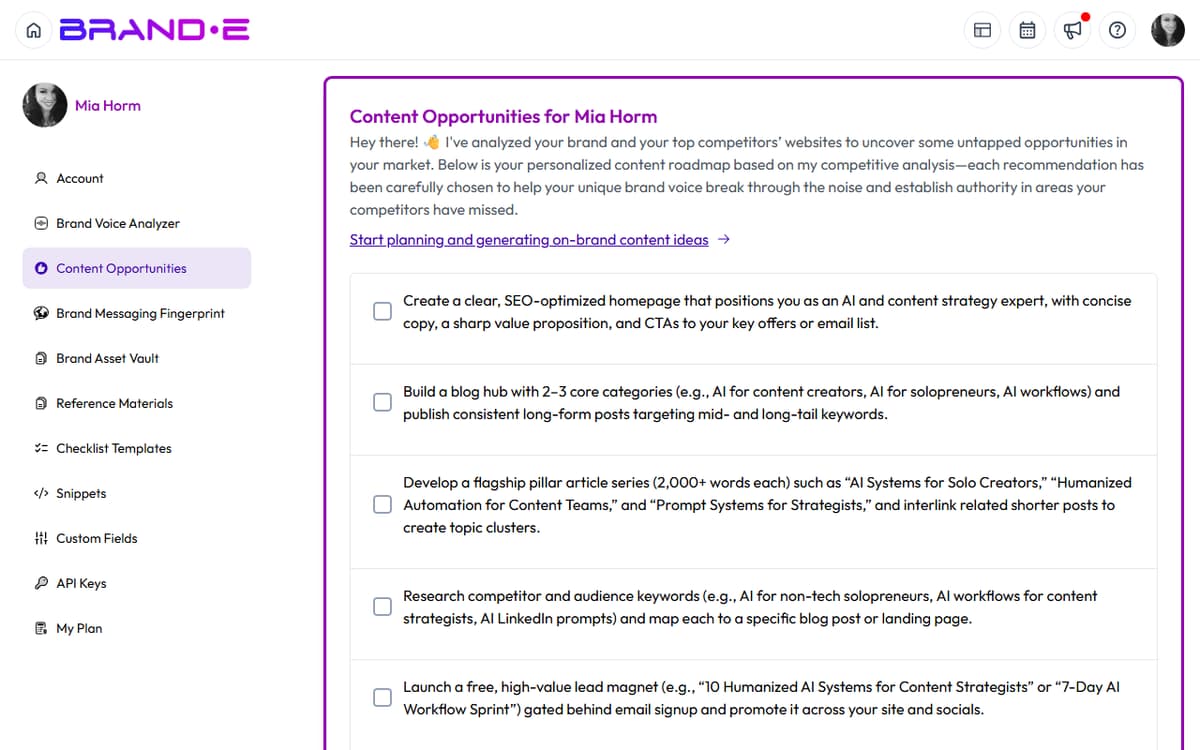
View All Recommendations in Content Opportunities
For a full history of all recommendations and to regenerate them manually, go to your account sidebar and select "Content Opportunities".
The Content Opportunities page displays:
- Pagination — 10 recommendations per page
- Status toggle — Mark each recommendation as Pending or Done
- Regenerate button — Force Content Agent to generate new recommendations immediately (instead of waiting for tomorrow's daily run)
Update Recommendation Status
Each recommendation has a status toggle:
- Pending — This brief has not been acted on yet
- Done — You acted on this brief and generated content from it
Click the toggle to change the status. This helps you track which briefs you have completed and which ones are still available to act on.
Regenerate Recommendations
Click the "Regenerate" button at the top of the Content Opportunities page to force Content Agent to analyze your brand and generate new recommendations immediately.
This is useful if:
- You just updated your Brand Profile and want to see new recommendations
- You want fresh ideas without waiting for tomorrow's daily run
- You have exhausted today's recommendations and need more
Subscription Plan Limits
Your plan determines whether you can access Content Agent recommendations:
- Creator plan — No Content Agent access
- Growth plan — Unlimited recommendations
- Agency plan — Unlimited recommendations
If your plan does not include recommendations, the widget shows "Disabled" in the Content Opportunities page.
Daily Generation Schedule
Content Agent runs once per day for each brand. The timing depends on your time zone and account settings.
To trigger recommendations outside the daily schedule, use the "Regenerate" button in the Content Opportunities page.