

Appearance
Understanding Campaign Studio
Campaign Studio is Brande.ai's AI-assisted campaign planning workflow — it turns a short brief into a researched, strategic plan before a single piece of content gets written.
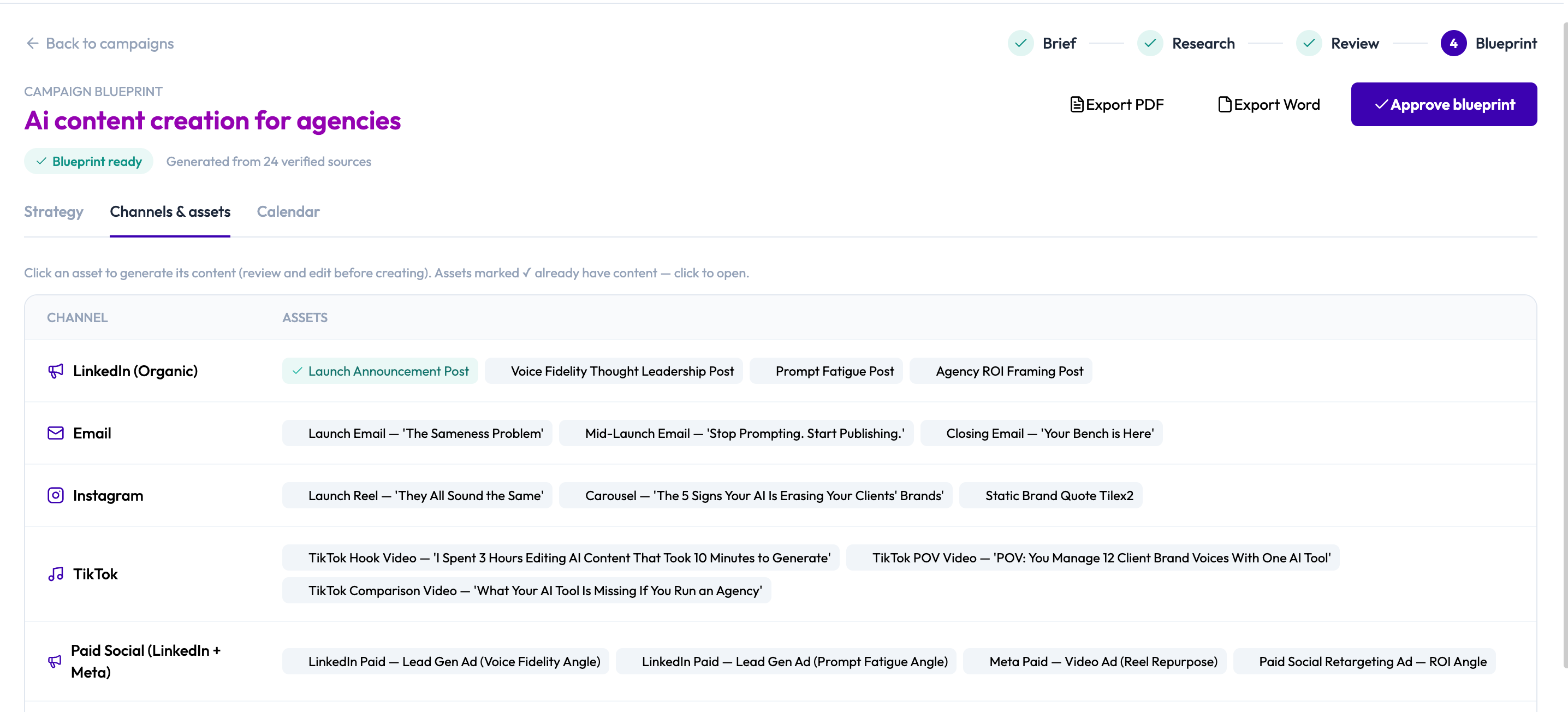
Where Content Agent hands you one recommendation at a time, Campaign Studio plans an entire multi-channel campaign at once: it researches your audience and competitors, checks the plan against your brand voice, and lays out a full channel and asset plan with a launch timeline — all before you generate anything.
What Campaign Studio does (and doesn't do)
Campaign Studio compresses the strategy phase of campaign planning — research, positioning, and channel/asset planning — into a guided, largely-automated pipeline. What used to be a manual, multi-hour exercise becomes a short brief plus two review checkpoints.
It does not generate finished content on its own. Campaign Studio's job stops at planning and prefilling; the actual writing still happens through Brande.ai's existing project-creation system — the same one Content Agent and manual project creation use. Think of Campaign Studio as the strategy layer that feeds that system better-informed, pre-briefed starting points.
The four-stage lifecycle
Every campaign moves through the same stepper:
- Brief — You describe the campaign: objective, offer, audience, channels and any competitors.
- Research — Brande.ai runs a research sprint on your brief, investigating your audience, competitors, cultural and search trends, and how well different angles fit your brand voice.
- Review — You read through the research findings, section by section, and approve them (or leave a note asking for something different).
- Blueprint — Brande.ai generates a full strategic plan: a big idea, positioning, core messages, a channel and asset plan, and a launch timeline. You review it, edit anything you like, and approve it.
Once your blueprint is approved, you move into a fifth, ongoing step: generating real content for each planned asset, one at a time, through the same project-creation flow you already know.
There are two human checkpoints built into the process — you approve the research findings before a blueprint is generated, and you approve the blueprint before treating it as final. Nothing moves forward automatically without your review.
Where to find it
Look for Campaign Studio in the top navigation bar. It opens to a dashboard showing your active campaigns, how many blueprint-ready campaigns you have, and your monthly campaign-run usage against your plan.
Plan availability
Campaign Studio access and monthly research-run quotas depend on your subscription plan. See Create a Campaign for what plan-gating looks like in the product, and How To Understand the Brande.ai Agency Plan for plan details.