

Appearance
Review Campaign Research
Once you start a research sprint, Brande.ai investigates your audience, competitors, and brand fit before it plans anything. You review and approve what it finds before a blueprint gets built.
Watching the research sprint run
While research runs, you'll see a live activity feed of each step Brande.ai is taking:
- A planning step scopes out the specific research tasks for your brief
- A team of researcher agents investigates each task using live web search plus your brand's own reference materials and uploaded files
- A synthesis step organizes all the findings into a structured research pack
- A verification step checks the findings and flags anything it's not confident about
The page refreshes automatically every few seconds so you can watch progress without doing anything — no need to keep reloading.
If a run looks stuck or fails
If a run shows no progress for a few minutes, or fails outright, Brande.ai marks it as stalled and offers a Resume option. Resuming doesn't start over — it picks up from whatever research is already complete, so you don't lose progress and it doesn't use up another monthly run.
Reviewing the research pack
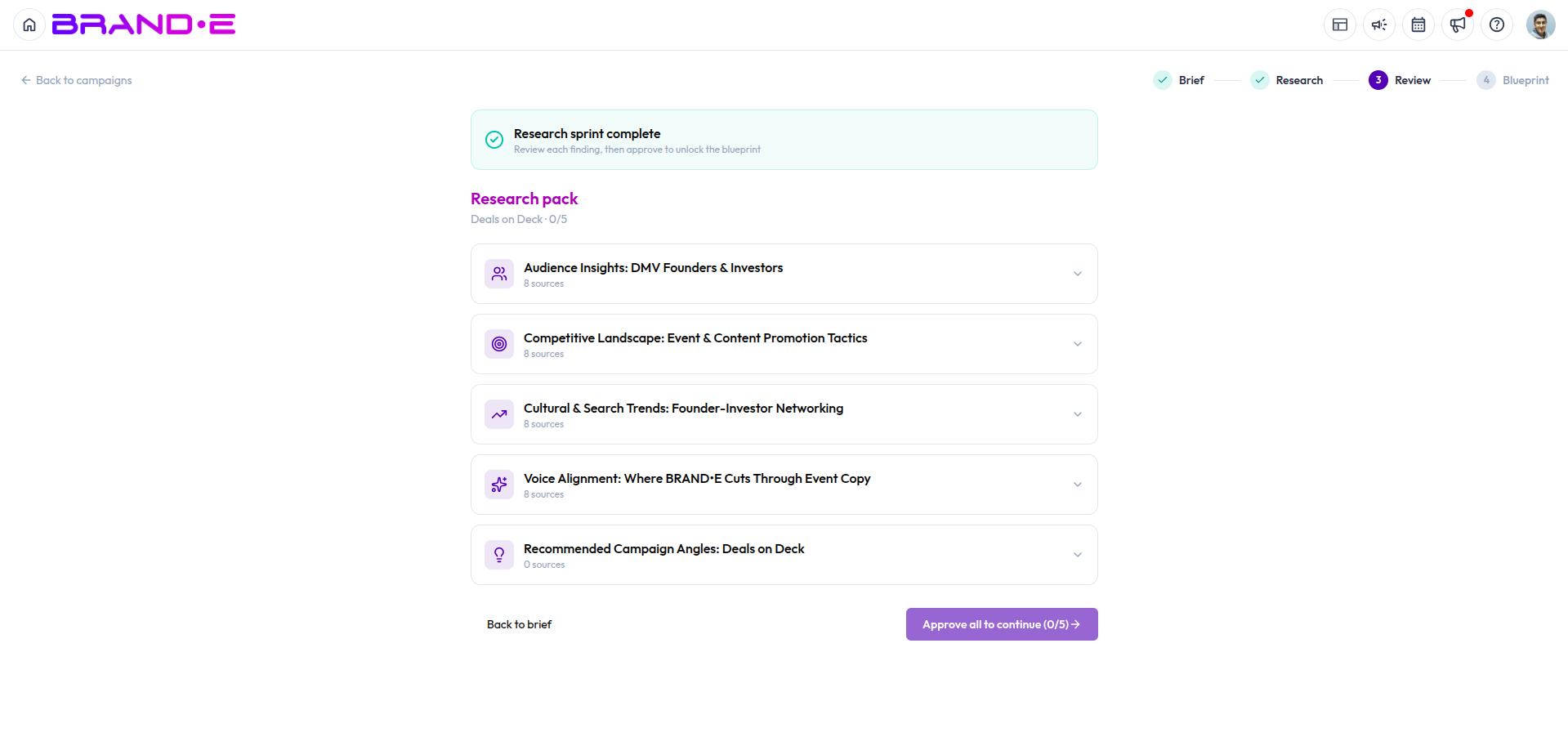
Once research completes, you land on the Review stage: five sections, each covering a different angle on your campaign:
- Audience Insights — who you're talking to and what matters to them
- Competitive Landscape — what competitors are doing in this space
- Cultural & Search Trends — relevant trends and conversations happening right now
- Voice Alignment — how well different angles fit your brand voice
- Recommended Angles — specific angles Brande.ai suggests for this campaign
Each section shows a summary, individual findings, and the sources behind them, so you can check where a claim came from.
Approve or annotate each section
Every section has an approve toggle and a free-text note field. Use the note field to tell Brande.ai what to change, add, or reconsider — your notes are fed directly into the blueprint-generation step, so this is the place to steer the plan before it's built.
All five sections must be approved before you can generate a blueprint. If you're not satisfied with a section, leave a note instead of approving it and revisit once you've made your point — approval is what unlocks the next stage.