

Appearance
Generate and Approve Your Campaign Blueprint
Once every research section is approved, Brande.ai turns your brief and approved research into a full campaign blueprint — the strategic plan you'll actually execute against.
Generate the blueprint
With all five research sections approved, the Generate Blueprint action becomes available. Brande.ai builds the blueprint from your original brief, the approved research pack, and any notes you left during review — so it's worth going back to add a note on a research section before generating if you want the blueprint to reflect it.
What's in a blueprint
The blueprint view is organized into three tabs:
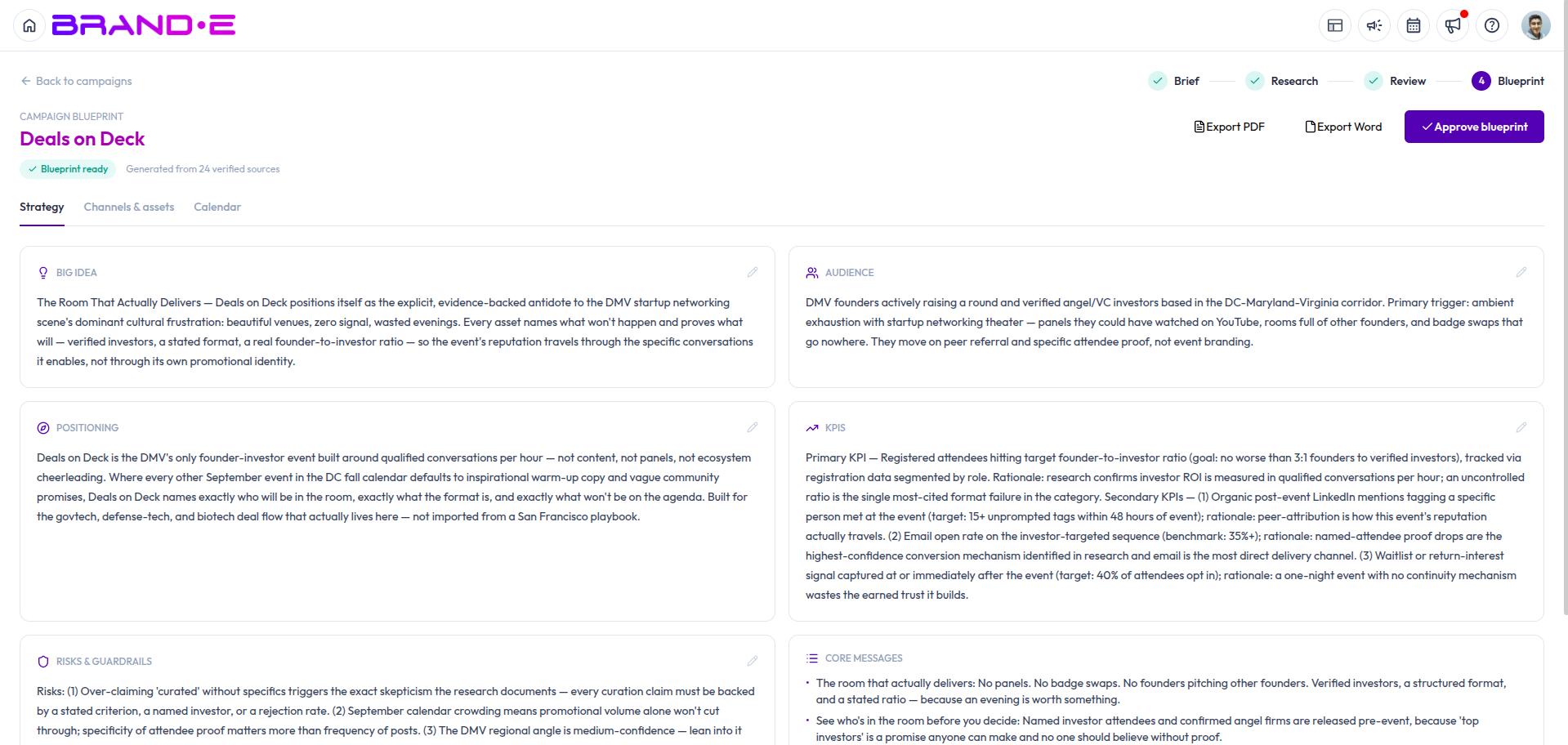
Strategy
- The big idea behind the campaign
- Your audience, summarized
- Positioning
- Core messages
- KPIs to track
- Risks and guardrails to watch for
Channels & Assets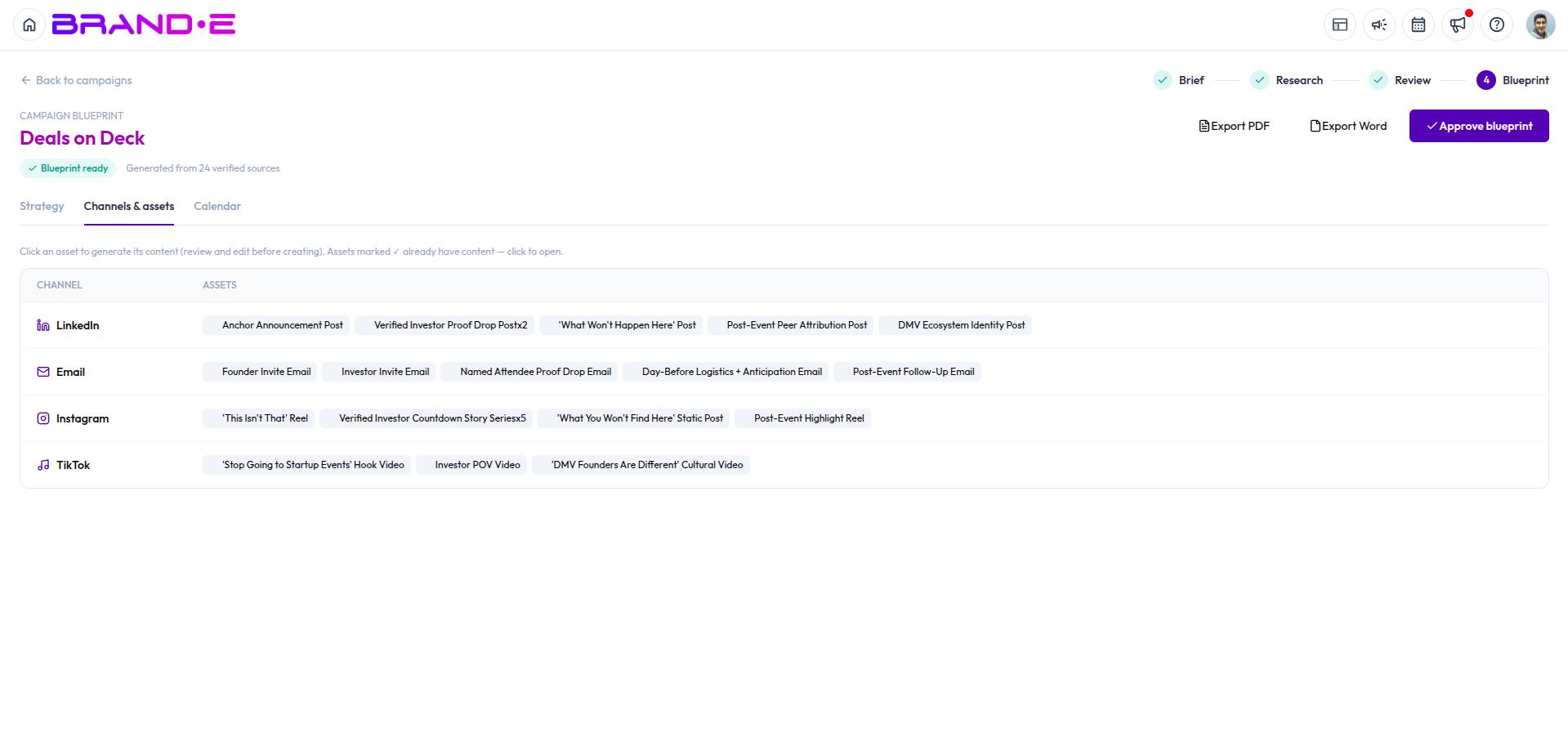
- Every channel in your plan, with its role in the campaign
- The assets planned for that channel — each with a name, a quantity (e.g. "x3"), a suggested content type, and a short brief describing what it should cover
Calendar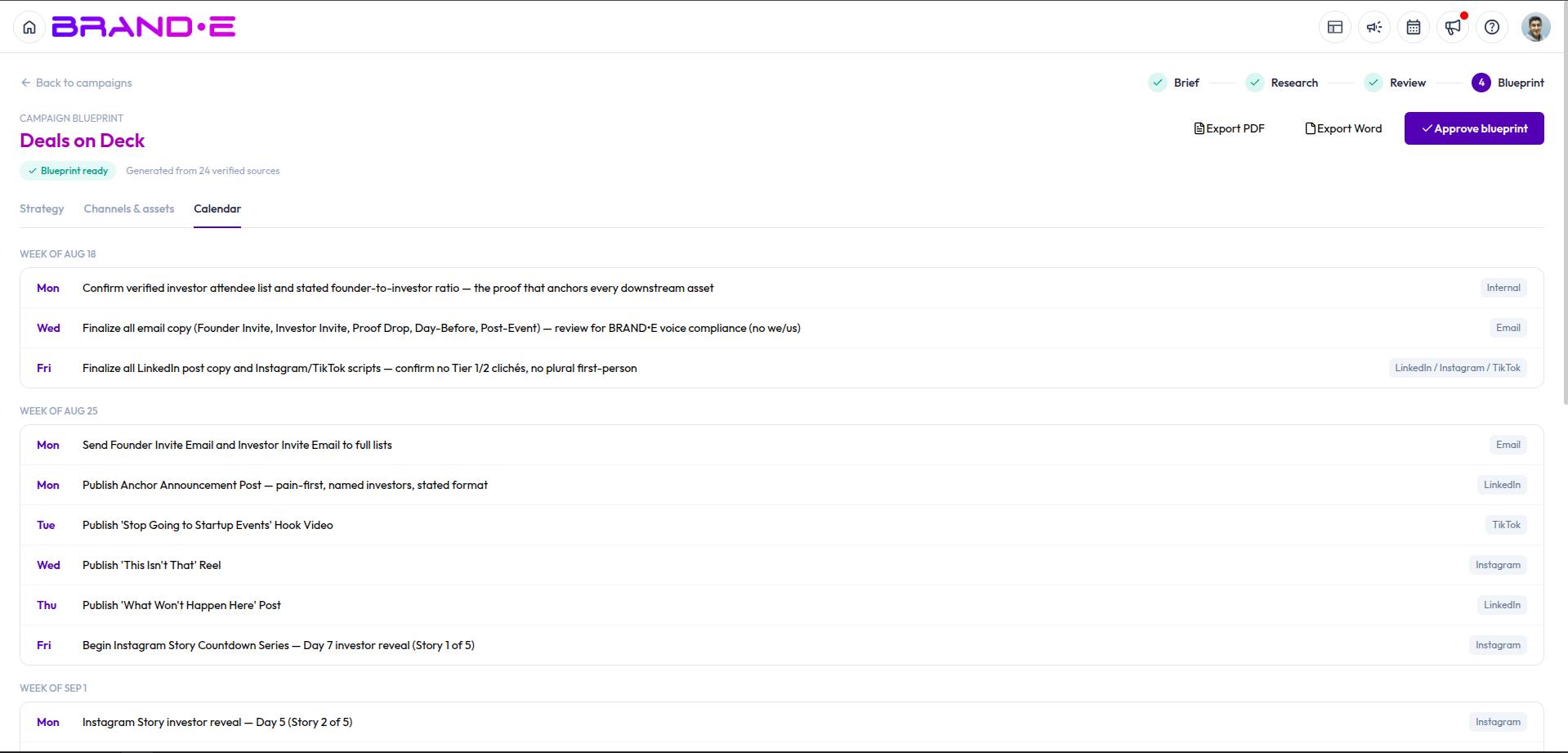
- A launch timeline laying out what publishes, on which channel, week by week and day by day
Edit or approve
You can edit any part of the blueprint and save your changes at any time. When you're happy with the plan, click Approve blueprint — this marks the blueprint as finalized for your team. You can still return to it later if your plans change.