

Appearance
Customize Image Style Using Plain English
Tell Brande.ai what your images should look like in natural language. The Image Instructions textarea lets you describe visual style, mood, composition, and aesthetic preferences. Your instructions combine with Brand DNA to create cohesive, on-brand visuals.
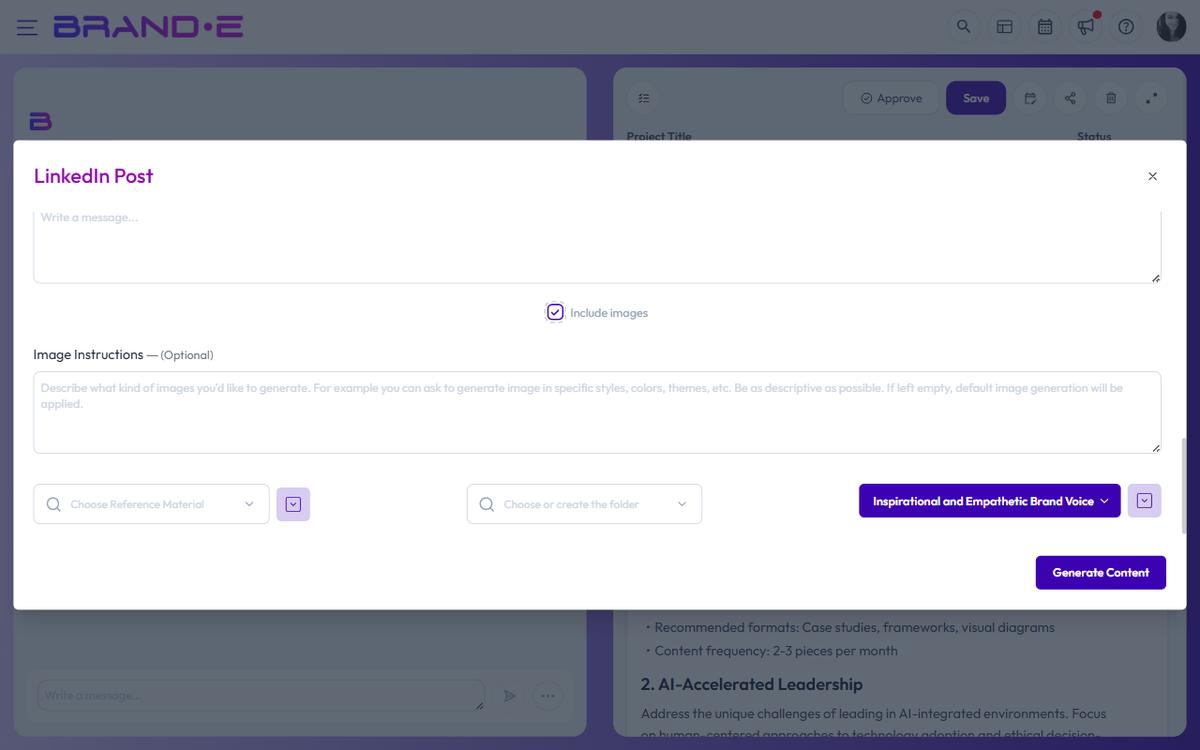
Where to add image instructions
When creating or editing a project:
- Open project settings or the Content Agent recommendations panel
- Locate the Image Instructions textarea
- Write a natural language description of your desired visual style
- Save and generate content
Your instructions apply to all images generated for that project.
Write effective image descriptions
The more specific your instructions, the better Brande.ai understands your vision. Examples:
Photography style:
- "Bright, airy photography with natural sunlight and minimal shadows"
- "Dark moody product photography with dramatic backlighting"
- "Candid lifestyle photos with real people in authentic moments"
Design style:
- "Minimalist line drawings with a single accent color"
- "Vibrant collage style with mixed textures and overlapping elements"
- "Geometric abstract designs with bold primary colors"
Mood and tone:
- "Professional and corporate, serious tone"
- "Fun and playful, bright and cheerful"
- "Sophisticated and elegant, luxury aesthetic"
Composition:
- "Subject centered with lots of negative space"
- "Busy, complex composition with multiple focal points"
- "Rule of thirds with subject in lower third of frame"
Combine instructions with Brand DNA
Image Instructions work alongside your Brand DNA. If your brand profile specifies:
- A specific color palette (navy, cream, gold)
- A visual style (minimalist, maximalist, avant-garde)
- Target audience aesthetics (luxury, casual, tech-forward)
Then your Image Instructions refine these guidelines. For example:
Brand DNA: Modern SaaS, tech-forward, minimal Image Instructions: "Clean tech aesthetic with lots of whitespace, floating 3D objects, cool blue and purple accents"
Result: Images that feel modern, tech-appropriate, and uniquely yours.
When instructions conflict with Brand DNA
If you ask for something that contradicts your brand:
- Example: Brand DNA is "luxury minimalist" but instructions say "maximize busy, ornate details"
Brande.ai prioritizes Brand DNA. Update either your Brand DNA or Image Instructions to align them for best results.
Test and refine
After generating images with your instructions:
- Review the results in your project
- Check if they match your vision
- If not, update Image Instructions with more detail
- Generate again
You can edit Image Instructions anytime and regenerate. Brande.ai learns your preferences over time.
Clear or reset image instructions
To let Brand DNA guide images without custom instructions:
- Clear the Image Instructions textarea
- Save the project
- Generate new images
The system reverts to Brand DNA alone.